VPS for Traders


Search This Blog

Pages

Google

Lima jurus hackers membobol Situs Joomla

Menjadi site administrator Joomla, banyak suka dan dukanya. Salah satunya adalah situs diusili oleh orang lain. Menangani situs joomla jumlahnya sudah seratusan, ternyata menyisakan pengalaman pahit. Ada rasa takut, kesal, sedih, kecewa campur aduk kayak semen. Apalagi kalau mengalami Joomla attack. Ada sekitar sepuluh situs yang diobrak-abrik. Lima tewas di-deface, 3 abis disusupi spam dan sisanya dikirimi sampah bot-shell. Yang mengenaskan adalah di deface. Malu sama BOS,hiks :(.

Yang diserang adalah situs yang memiliki pagerank tertinggi dan open security. Semakin banyak backdoor yang terbuka, maka situs akan populer dibajak hacker. Sekali dibajak akan diworo-woro ke IRC room, untuk diperkosa rame-rame. Habislah sudah situs joomla merana? Kok bisa? Apa sih yang tak bisa di dunia ini? Semuanya saling berlawanan. Ada hitam ada putih. Ada baik ada Jahat. Ada FPI ada AKKBB. Ada Islam bener ada AHMADIYAH. Ada Islam benar ada JIL. Semuanya saling melengkapi.

Kembali ke topik. Kenapa situs Joomla dihack? Karena hacker tahu kelemahan situs Joomla. Bagaimana hackers menyerang situs Joomla? Inilah jawabannya. Para hacker menggunakan lima jurus (pertama) untuk menumbangkan situs Joomla.

Mau tau caranya? Ikuti penelusuran saya. Oups, hampir lupa. Sekali lagi saya beitahukan untuk para pembaca situs ini untuk mendaftar di langganan berita situs ini. Saya akan mengirimkan informasi update situs ini melalui email. Bila anda tertarik, silakan daftar di sini.

Lima jurus ini merupakan hasil telusuran, diskusi dan pengalaman pribadi dalam mengelola situs admin. Jadi saya mengundang anda untuk memberikan komentar, kritik dan saran bila jurus yang paparkan ini adalah palsu.

Para hackers Joomla dalam menyiapkan serangan ke situs berbasis Joomla akan beberapa strategi. Satu strategi awal dalam menyerang adalah menggunakan Lima jurus. Kelima jurus itu terdiri dari yaitu :
1. Versi Joomla yang digunakan
2. Hostingnya dimana? Jenis hostingnya seperti apa?
3. Jenis Plugin/Extensions yang diinstall
4. File dan folder permissions
5. Ranking situs
6. Jenis situs

Biar lebih mantap dan renyah dinikmati, saya akan membeberkan jurus-jurus mematikan ini pada anda. Mari mas..!

1. Versi Joomla yang digunakan

Semakin lama versi Joomla yang anda gunakan, anda maka semakin banyak lubang kelemahan (vulnerabilities) situs anda. Setiap detik laporan situs Joomla dihack banyak sekali. Laporan tentang hacking itu lalu dilaporkan dan langsung ditambal (patch). Pada Joomla yang sudah di-patch, maka akan muncul versi Joomla terbaru. Itu artinya Kode-skrip joomla anda harus di update. Anda cukup download bagian script yang akan ditambal. Cukup copy-paste, maka patching sudah selesai.

Tapiiiii. Tidak semua orang peduli pada isu ini. Malas dan bosan. Saya juga sudah pernah mengalami ini karena harus menangani situs Joomla yang terlalu banyak. Tapi kalo cuma satu doang mungkin gak masalah. Tapi kalau banyak, penyakit bosan dan CAPEK DEh melanda, maka updating ditinggalkan. Jangan diikuti sifat ini. Karena kalau sudah dibajak, maka anda akan kerja bakti selama seminggu untuk memulai dari awal lagi membangun situs. CEPEK, dehh

2. Hostingnya dimana? Jenis hostingnya seperti apa?

Bila ada ISP hosting yang tidak aman, para hackers menyusup di tempat tersebut. Pada beberapa tempat hosting malah jadi sarang penyamun para hackers dalam mencuri data dan menghacking situs. Kerja mereka rapi. Mereka seperi sindikat dan mafia. Mereka sengaja menyediakan jasa hosting murah hanya untuk menjebak client. Hati-hati juga pada free hosting. Tak ada jaminan bahwa situs anda aman. Jadi berhati-hatilah.

Tapi saya pernah punya client yang hosting di tempat murah (an) namun manajeman sekuritinya amburadul. Untuk mencirikannya mudah saja. Pertama, biasanya situs ISP-nya tidak profesional. Harganya murah (an) banget. Secara logis susah diterima dalam hitungan bisnis. Jadi ada yang dikorbankan. Supportnya kacau dan minim. Sakit hati dan kesal. Kalau ada kesalahan, client yang disalahkan. Site-adminnya kadang-kadang sok tau. Kalau mau detail silakan mampir ke webhostingtalk atau milis web hosting di yahoogroups.

Jadi berhati-hatilah dalam memilih hosting untuk situs Joomla anda. Kalau system keamanan dan support meragukan, cepat-cepatlah anda berpindah. Iklaskan uang anda, daripada anda kehilangan 100 kali lipat nantinya. Nanti akan saya bahas topik memilih hosting yang baik dan benar untuk situs Joomla. Semoga dapat sponsor

3. Jenis Plugin/Extensions yang diinstall

Lobang terbesar penyerangan situs Joomla ada di sini. Semakin banyak yang terinstall plugin/extensions disitus Joomla anda, semakin besar peluang serangan yang dilancarkan. Banyak programmer berhati jahat yang mengubah atau memalsu skrip plugin/extensions Joomla. Hal itu mudah mereka lakukan. Membuat skrip plugin/extensions Joomla bagi programmer merupakan makanan sehari-hari. Para programmer jahat ini juga sering menyusupkan skrip plugin/extensions ke forum joomla untuk didownload secara gratis. Jadi berhati-hatilah.

4. File dan folder permissions

Ini titik kelemahan yang mudah ditemukan dengan bantuan C99 shell atau php shell. Bila ditemukan banyak File dan folder permissions terbuka (666 atau 777) maka kiamat akan tiba. Perbaikilah CHMOD dengan JoomlaXplorer.

Yang default terbuka adalah folder media dan images. Karena memang terbuka untuk umum. Tapi kalau tidak perlu mohon ditutup saja. Karena ini adalah pintu utama menghacking situs anda. Kalau situs anda untuk perusahaan, korporat, yayasan, kelembagaan, lebih baik dimatikan saja fitur user registered berikut folder permissions-nya. Ubah semua CHMOD folder menjadi 644 (koreksi dari Rekan David, adalah 444, tapi saya mengubah menjadi 644. Thanks to david)

5. Ranking situs

Semakin tinggi sebuah pohon, maka semakin kencang angin yang meniupnya. Semakin tinggi rangking situs anda di google, yahoo dan alexa, maka semakin besar situs anda porak-poranda. Menggunakan google, situs anda akan ada diurutan pertama saat akan diserang. Karena situs anda sudah populer. Para hackers tidak punya belas kasih. Pokoknya, HAJAR BLEH.

Jadi dilema. Populer salah, gak populer juga salah. Saya mempunyai situs klien Joomla yang memiliki PR 5 dan alexa bagus. Di logs servernya bertaburan penyusup yang berniat jahat mengobrak-abrik server. heuhhh, capek deh. That’s way administrator site FOR.

Seperti dikutip bakhosting.com dari http://syarifudin.web.id/2008/06/lima-jurus-hackers-membobol-situs-joomla/

How To Understand Movie Releases Sources

Sources :

CAM -
A cam is a theater rip usually done with a digital video camera. A mini tripod is sometimes used, but a lot of the time this wont be possible, so the camera make shake. Also seating placement isn't always idle, and it might be filmed from an angle. If cropped properly, this is hard to tell unless there's text on the screen, but a lot of times these are left with triangular borders on the top and bottom of the screen. Sound is taken from the onboard microphone of the camera, and especially in comedies, laughter can often be heard during the film. Due to these factors picture and sound quality are usually quite poor, but sometimes we're lucky, and the theater will be fairly empty and a fairly clear signal will be heard.

TELESYNC (TS) -
A telesync is the same spec as a CAM except it uses an external audio source (most likely an audio jack in the chair for hard of hearing people). A direct audio source does not ensure a good quality audio source, as a lot of background noise can interfere. A lot of the times a telesync is filmed in an empty cinema or from the projection booth with a professional camera, giving a better picture quality. Quality ranges drastically, check the sample before downloading the full release. A high percentage of Telesyncs are CAMs that have been mislabeled.

TELECINE (TC) -
A telecine machine copies the film digitally from the reels. Sound and picture should be very good, but due to the equipment involved and cost telecines are fairly uncommon. Generally the film will be in correct aspect ratio, although 4:3 telecines have existed. TC should not be confused with TimeCode , which is a visible counter on screen throughout the film.

SCREENER (SCR) -
A pre VHS tape, sent to rental stores, and various other places for promotional use. A screener is supplied on a VHS tape, and is usually in a 4:3 (full screen) a/r, although letterboxed screeners are sometimes found. The main draw back is a "ticker" (a message that scrolls past at the bottom of the screen, with the copyright and anti-copy telephone number). Also, if the tape contains any serial numbers, or any other markings that could lead to the source of the tape, these will have to be blocked, usually with a black mark over the section. This is sometimes only for a few seconds, but unfortunately on some copies this will last for the entire film, and some can be quite big. Depending on the equipment used, screener quality can range from excellent if done from a MASTER copy, to very poor if done on an old VHS recorder thru poor capture equipment on a copied tape. Most screeners are transferred to VCD, but a few attempts at SVCD have occurred, some looking better than others.

DVD-SCREENER (DVDscr) -
Same premise as a screener, but transferred off a DVD. Usually letterbox , but without the extras that a DVD retail would contain. The ticker is not usually in the black bars, and will disrupt the viewing. If the ripper has any skill, a DVDscr should be very good. Usually transferred to SVCD or DivX/XviD.

DVDRip -
A copy of the final released DVD. If possible this is released PRE retail again, should be excellent quality. DVDrips are released in SVCD and DivX/XviD.

High-definition (HD):
High-definition (HD) video generally refers to any video system of higher resolution than standard-definition (SD) video, most commonly at display resolutions of 1280×720 (720p) or 1920×1080 (1080i or 1080p). This article discusses the general concepts of high-definition video, as opposed to its specific applications in television broadcast (HDTV), video recording formats (HDCAM, HDCAM-SR, DVCPRO HD, D5 HD, XDCAM HD, HDV and AVCHD), the optical disc delivery system Blu-ray Disc and the video tape format D-VHS.
A common resolution used in HD Ready LCD TV panels is 1366 × 768 pixels instead of the ATSC Standard 1280 × 720 pixels. This is due to maximization of manufacturing yield and resolution of VGA, VRAM that comes with a 768 pixel format. Hence, LCD manufacturers adopt the 16:9 ratio compatible for the HD Ready 1080p standard. Nevertheless, every HDTV has an overscan processing chipset to fix resolution scaling and color rendering, e.g. LG XD Engine, Sony BRAVIA Engine. Only when viewing 1080i/1080p HD contents under HD Ready 1080p where there is true pixel-for-pixel reproduction, and for HD ready LCD TV, do some signals undergo a scaling process which results in a 3-5% loss of picture. Most HD-ready CRT TVs use 1080i resolution.
(Source : Wikipedia)

HDTV :
High-definition television (HDTV) is a digital television broadcasting system with greater resolution than traditional television systems (NTSC, SECAM, PAL). HDTV is digitally broadcast because digital television (DTV) requires less bandwidth if sufficient video compression is used.
(Source : Wikipedia)

VHSRip -
Transferred off a retail VHS, mainly skating/sports videos and XXX releases.

TVRip -
TV episode that is either from Network (capped using digital cable/satellite boxes are preferable) or PRE-AIR from satellite feeds sending the program around to networks a few days earlier (do not contain "dogs" but sometimes have flickers etc) Some programs contain extra parts, and the "dark matches" and camera/commentary tests are included on the rips. PDTV is capped from a digital TV PCI card, generally giving the best results, and groups tend to release in SVCD for these. VCD/SVCD/DivX/XviD rips are all supported by the TV scene.

PDTV :
PDTV is an abbreviation short for Pure Digital Television. Often seen as part of the filename of TV shows shared through P2P systems on the Internet. It is a label given to files that were ripped directly from a purely digital source, having less resolution than HDTV. This is often accomplished by using a TV tuner card capable of receiving Digital Video Broadcasts, or by recording a digital stream onto another device such as a digital video recorder and using the stored data to create the release. As such, they are sometimes labeled DVBRip (or DVB-rip). This alternate term is most often used by European rippers (since DVB is a European standard), but very rarely by those in The Scene.
'PDTV' has also been seen on semi-professional DVD releases found at fan conventions and on the Internet. This instance of "PDTV" is not the same as "Pure Digital Television" described above, as the source material for these DVDs is almost always analog in forms such as VHS. These releases are intended to fill gaps in the current catalog of available DVDs by making material available that has not yet been, or most likely never will be, released on DVD. In the event that a PDTV release is made obsolete by an official DVD, that particular title is pulled by PDTV and no longer offered.
(Source : Wikipedia)

WORKPRINT (WP) -
A workprint is a copy of the film that has not been finished. It can be missing scenes, music, and quality can range from excellent to very poor. Some WPs are very different from the final print and others can contain extra scenes. WPs can be nice additions to the collection once a good quality final has been obtained.

R5 (bootleg) :
An R5 is a warez release, made with a telecine machine from an analog source. Unlike a TC the digitalization is done by the studio itself with very professional (and expensive) equipment and usually from the original source. The purpose of it is to create a high quality digital copy (usually for a later dvd release). But unlike a DVD, an R5 is released before the digital post-processing is finished. The quality of the rips can differ, but it can be even indistinguishable from a DVDRip since many movies are published on dvd with minimal editing.
The name refers to a specific format of dvd released in the Former-Soviet Union, the Indian subcontinent, and much of Africa, which are in DVD Region 5.
In an effort to compete with movie piracy, the movie industry chose to create a new format for DVD releases that could be produced more quickly and less expensively than traditional DVD releases. R5 releases differ from normal releases in that they are usually a direct Telecine transfer of the film without any of the image processing common on DVD releases, and without any special features. This allows the film to be released for sale at the same time that DVD Screeners are released. Since DVD Screeners are the chief source of high-quality pre-DVD release pirated movies, this allows the movie studios to beat the bajaken to market. Bootlegged copies of these releases are often distributed on the Internet.
(Source : Wikipedia)

DivX Re-Enc -
A DivX re-enc is a film that has been taken from its original VCD source, and re-encoded into a small DivX file. Most commonly found on file sharers, these are usually labeled something like Film.Name.Group(1of2) etc. Common groups are SMR and TND. These aren't really worth downloading, unless you're that unsure about a film u only want a 200mb copy of it. Generally avoid.

Watermarks -
A lot of films come from Asian Silvers/PDVD (see below) and these are tagged by the people responsible. Usually with a letter/initials or a little logo, generally in one of the corners. Most famous are the "Z" "A" and "Globe" watermarks.

Asian Silvers / PDVD -
These are films put out by eastern bootleggers, and these are usually bought by some groups to put out as their own. Silvers are very cheap and easily available in a lot of countries, and its easy to put out a release, which is why there are so many in the scene at the moment, mainly from smaller groups who don't last more than a few releases. PDVDs are the same thing pressed onto a DVD. They have removable subtitles, and the quality is usually better than the silvers. These are ripped like a normal DVD, but usually released as VCD.

Formats :

VCD -
VCD is an mpeg1 based format, with a constant bitrate of 1150kbit at a resolution of 352x240 (NTCS). VCDs are generally used for lower quality transfers (CAM/TS/TC/Screener(VHS)/TVrip(analogue) in order to make smaller file sizes, and fit as much on a single disc as possible. Both VCDs and SVCDs are timed in minutes, rather than MB, so when looking at an mpeg, it may appear larger than the disc capacity, and in reality u can fit 74min on a CDR74.

SVCD -
SVCD is an mpeg2 based (same as DVD) which allows variable bit-rates of up to 2500kbits at a resolution of 480x480 (NTSC) which is then decompressed into a 4:3 aspect ratio when played back. Due to the variable bit-rate, the length you can fit on a single CDR is not fixed, but generally between 35-60 Mins are the most common. To get a better SVCD encode using variable bit-rates, it is important to use multiple "passes". this takes a lot longer, but the results are far clearer.

XVCD/XSVCD -
These are basically VCD/SVCD that don't obey the "rules". They are both capable of much higher resolutions and bit-rates, but it all depends on the player to whether the disc can be played. X(S)VCD are total non-standards, and are usually for home-ripping by people who don't intend to release them.

DivX / XviD -
DivX is a format designed for multimedia platforms. It uses two codecs, one low motion, one high motion. most older films were encoded in low motion only, and they have problems with high motion too. A method known as SBC (Smart Bit-rate Control) was developed which switches codecs at the encoding stage, making a much better print. The format is Ana orphic and the bit-rate/resolution are interchangeable. Due to the higher processing power required, and the different codecs for playback, its unlikely we'll see a DVD player capable of play DivX for quite a while, if at all. There have been players in development which are supposedly capable, but nothing has ever arisen. The majority of PROPER DivX rips (not Re-Encs) are taken from DVDs, and generally up to 2hours in good quality is possible per disc. Various codecs exist, most popular being the original Divx3.11a and the new XviD codecs.

CVD -
CVD is a combination of VCD and SVCD formats, and is generally supported by a majority of DVD players. It supports MPEG2 bit-rates of SVCD, but uses a resolution of 352x480(ntsc) as the horizontal resolution is generally less important. Currently no groups release in CVD.

DVD-R -
Is the recordable DVD solution that seems to be the most popular (out of DVD-RAM, DVD-R and DVD+R). it holds 4.7gb of data per side, and double sided discs are available, so discs can hold nearly 10gb in some circumstances. SVCD mpeg2 images must be converted before they can be burnt to DVD-R and played successfully. DVD>DVDR copies are possible, but sometimes extras/languages have to be removed to stick within the available 4.7gb.

MiniDVD -
MiniDVD/cDVD is the same format as DVD but on a standard CDR/CDRW. Because of the high resolution/bit-rates, its only possible to fit about 18-21 mins of footage per disc, and the format is only compatible with a few players.

Misc Info :

Regional Coding -
This was designed to stop people buying American DVDs and watching them earlier in other countries, or for older films where world distribution is handled by different companies. A lot of players can either be hacked with a chip, or via a remote to disable this.

RCE -
RCE (Regional Coding Enhancement) was designed to overcome "Multiregion" players, but it had a lot of faults and was overcome. Very few titles are RCE encoded now, and it was very unpopular.

Macrovision -
Macrovision is the copy protection employed on most commercial DVDs. Its a system that will display lines and darken the images of copies that are made by sending the VHS signals it can't understand. Certain DVD players (for example the Dansai 852 from Tescos) have a secret menu where you can disable the macrovision, or a "video stabaliser" costs about 30UKP from Maplin

NTSC/PAL -
NTSC and PAL are the two main standards used across the world. NTSC has a higher frame rate than pal (29fps compared to 25fps) but PAL has an increased resolution, and gives off a generally sharper picture. Playing NTSC discs on PAL systems seems a lot easier than vice-versa, which is good news for the Brits An RGB enabled scart lead will play an NTSC picture in full colour on most modern tv sets, but to record this to a VHS tape, you will need to convert it to PAL50 (not PAL60 as the majority of DVD players do.) This is either achieved by an expensive converter box (in the regions of ?200+) an onboard converter (such as the Dansai 852 / certain Daewoos / Samsung 709 ) or using a World Standards VCR which can record in any format.

Release Files :

RARset -
The movies are all supplied in RAR form, whether its v2 (rar>.rxx) or v3 (part01.rar > partxx.rar) form.

BIN/CUE -
VCD and SVCD films will extract to give a BIN/CUE. Load the .CUE into notepad and make sure the first line contains only a filename, and no path information. Then load the cue into Nero/CDRWin etc and this will burn the VCD/SVCD correctly. TV rips are released as MPEG. DivX files are just the plain DivX - .AVI

NFO -
An NFO file is supplied with each movie to promote the group, and give general iNFOrmation about the release, such as format, source, size, and any notes that may be of use. They are also used to recruit members and acquire hardware for the group.

SFV -
Also supplied for each disc is an SFV file. These are mainly used on site level to check each file has been uploaded correctly, but are also handy for people downloading to check they have all the files, and the CRC is correct. A program such as pdSFV or hkSFV is required to use these files.

Scene Tags :

PROPER -
Due to scene rules, whoever releases the first Telesync has won that race (for example). But if the quality of that release is fairly poor, if another group has another telesync (or the same source in higher quality) then the tag PROPER is added to the folder to avoid being duped. PROPER is the most subjective tag in the scene, and a lot of people will generally argue whether the PROPER is better than the original release. A lot of groups release PROPERS just out of desperation due to losing the race. A reason for the PROPER should always be included in the NFO.

SUBBED -
In the case of a VCD, if a release is subbed, it usually means it has hard encoded subtitles burnt throughout the movie. These are generally in malaysian/chinese/thai etc, and sometimes there are two different languages, which can take up quite a large amount of the screen. SVCD supports switch able subtitles, so some DVDRips are released with switch able subs. This will be mentioned in the NFO file if included.

UNSUBBED -
When a film has had a subbed release in the past, an Unsubbed release may be released

LIMITED -
A limited movie means it has had a limited theater run, generally opening in less than 250 theaters, generally smaller films (such as art house films) are released as limited.

INTERNAL -
An internal release is done for several reasons. Classic DVD groups do a lot of .INTERNAL. releases, as they wont be dupe'd on it. Also lower quality theater rips are done INTERNAL so not to lower the reputation of the group, or due to the amount of rips done already. An INTERNAL release is available as normal on the groups affiliate sites, but they can't be traded to other sites without request from the site ops. Some INTERNAL releases still trickle down to IRC/Newsgroups, it usually depends on the title and the popularity. Earlier in the year people referred to Centropy going "internal". This meant the group were only releasing the movies to their members and site ops. This is in a different context to the usual definition.

STV -
Straight To Video. Was never released in theaters, and therefore a lot of sites do not allow these.

ASPECT RATIO TAGS -
These are *WS* for widescreen (letterbox) and *FS* for Fullscreen.

RECODE -
A recode is a previously released version, usually filtered through TMPGenc to remove subtitles, fix color etc. Whilst they can look better, its not looked upon highly as groups are expected to obtain their own sources.

REPACK -
If a group releases a bad rip, they will release a Repack which will fix the problems.

NUKED -
A film can be nuked for various reasons. Individual sites will nuke for breaking their rules (such as "No Telesyncs") but if the film has something extremely wrong with it (no soundtrack for 20mins, CD2 is incorrect film/game etc) then a global nuke will occur, and people trading it across sites will lose their credits. Nuked films can still reach other sources such as p2p/usenet, but its a good idea to check why it was nuked first in case. If a group realise there is something wrong, they can request a nuke.

NUKE REASONS :: this is a list of common reasons a film can be nuked for (generally DVDRip)

** BAD A/R ** :: bad aspect ratio, ie people appear too fat/thin
** BAD IVTC ** :: bad inverse telecine. process of converting framerates was incorrect.
** INTERLACED ** :: black lines on movement as the field order is incorrect.

DUPE -
Dupe is quite simply, if something exists already, then theres no reason for it to exist again without proper reason.

Credit goes to those who wrote all of these helpful words!

Couldn't imagine when our world run out of gasolie

I just got this one thought.

Every things related to our live style activity nowadays, should use and depend on the gasoline.
The process of making the gasoline was too long for us to imagine.

What if some day, our world's supplies of gasoline has completely run out, do we already have solutions for this mess?

Thank you for your attention.

AP

Windows Xp Registry Tips & Tweaks

Modifying the Disk Check Autochk.exe Time-out (Scandisk Delay) Value from 10 seconds to 3 Seconds

[HKEY_LOCAL_MACHINE\SYSTEM\CurrentControlSet\Control\Session Manager]
"AutoChkTimeOut"=dword:00000003

Download this Reg file Disable Automatic Restart in the event of a System Crash / BSOD

[HKEY_LOCAL_MACHINE\SYSTEM\CurrentControlSet\Control\CrashControl]
"AutoReboot"=dword:00000000

Download this Reg file Disable The Windows XP Desktop Cleanup Wizard (Unused Desktop Shortcuts)

[HKEY_CURRENT_USER\Software\Microsoft\Windows\CurrentVersion\Explorer\Desktop\CleanupWiz]
"NoRun"=dword:00000001

Download this Reg file Speed up Network Browsing by Removing Network Scheduled Tasks

[-HKEY_LOCAL_MACHINE\SOFTWARE\Microsoft\Windows\CurrentVersion\Explorer\RemoteComputer\NameSpace\{D6277990-4C6A-11CF-8D87-00AA0060F5BF}]

Download this Reg file Disables Windows Take A Tour Bubble Popup

[HKEY_LOCAL_MACHINE\Software\Microsoft\Windows\CurrentVersion\Applets\Tour]
"RunCount"=dword:00000000

Download this Reg file Disable Remote Registry Service (Remote users to modify registry settings on your computer. Now registry can be modified only by users on your computer)

[HKEY_LOCAL_MACHINE\SYSTEM\CurrentControlSet\Services\RemoteRegistry]
"Start"=dword:00000004

Download this Reg file Removes the Recent Documents from the Start menu. The system saves a shortcut to each of the non-program files the user opened most recently, and it displays the shortcuts on the Recent Documents.

[HKEY_CURRENT_USER\Software\Microsoft\Windows\CurrentVersion\Policies\Explorer]
"NoRecentDocsMenu"=dword:00000001

Download this Reg file Classic Search, Full Path In Title Bar And Address Bar. This allows you to disable the new Search Assistant Dog and use the traditional search interface in Windows Explorer

[HKEY_CURRENT_USER\Software\Microsoft\Windows\CurrentVersion\Explorer\CabinetState]
"FullPath"=dword:00000000
"FullPathAddress"=dword:00000001
"Use Search Asst"="no"
"Settings"=hex:0c,00,02,00,1b,01,e7,77,60,00,00,00

Download this Reg file Have you ever wanted to Rename Recycle Bin ? This Tweak Allows Renaming of Recycle Bin

[HKEY_CLASSES_ROOT\CLSID\{645FF040-5081-101B-9F08-00AA002F954E}\ShellFolder]
"Attributes"=hex:50,01,00,20
"CallForAttributes"=dword:00000000

Download this Reg file Are you getting 'Low Disk Space Notification' ? This Disables Low Diskspace Warnings

[HKEY_CURRENT_USER\Software\Microsoft\Windows\CurrentVersion\Policies\Explorer]
"NoLowDiskSpaceChecks"=dword:00000001

Download this Reg file Do you want to Speedup the Windows XP Start Menu?

[HKEY_CURRENT_USER\Control Panel\Desktop]
"MenuShowDelay"="2"

Download this Reg file Maximize Your Internet Explorer's Simultaneous Downloads From 2 to 10 Connections

[HKEY_CURRENT_USER\Software\Microsoft\Windows\CurrentVersion\Internet Settings]
"MaxConnectionsPer1_0Server"=dword:0000000a
"MaxConnectionsPerServer"=dword:0000000a

Download this Reg file Remove the Queue-it-up, Burn to CD right click options on Windows Media Player files.

[-HKEY_CLASSES_ROOT\CLSID\{CE3FB1D1-02AE-4a5f-A6E9-D9F1B4073E6C}]
[-HKEY_CLASSES_ROOT\CLSID\{F1B9284F-E9DC-4e68-9D7E-42362A59F0FD}]
[-HKEY_CLASSES_ROOT\CLSID\{8DD448E6-C188-4aed-AF92-44956194EB1F}]

Download this Reg file Removes Sign up with Passport Wizard when trying to sign in MSN Messenger First time

[HKEY_CURRENT_USER\Software\Microsoft\Windows\CurrentVersion\Internet Settings\Passport]
"RegistrationCompleted"=dword:00000001

Download this Reg file Disables Preview (Thumbnails) of Movie File Formats (Allowing You To Move/Rename/Delete without Errors)

[-HKEY_CLASSES_ROOT\.avi\ShellEx]
[-HKEY_CLASSES_ROOT\.mpg\ShellEx]
[-HKEY_CLASSES_ROOT\.mpe\ShellEx]
[-HKEY_CLASSES_ROOT\.mpeg\ShellEx]
[-HKEY_CLASSES_ROOT\.mov\ShellEx]

Download this Reg file Open Explorer From My Computer or Any Folder (Power users love this)

[HKEY_CLASSES_ROOT\Folder\shell]
@="explore"

Download this Reg file Remove 'Shortcut To ...' Prefix when you create new Shortcut

[HKEY_CURRENT_USER\Software\Microsoft\Windows\CurrentVersion\Explorer]
"link"=hex:00,00,00,00

Download this Reg file This adds 'Command Prompt here' on Right Click Menu (When you right click on a Drive/Folder)

[HKEY_CLASSES_ROOT\Directory\shell\Command Prompt Here]
@="Command &Prompt Here"
[HKEY_CLASSES_ROOT\Directory\shell\Command Prompt Here\command]
@="cmd.exe /k cd %1 "
[HKEY_CLASSES_ROOT\Drive\shell\Command Prompt Here]
@="Command &Prompt Here"
[HKEY_CLASSES_ROOT\Drive\shell\Command Prompt Here\command]
@="cmd.exe /k cd %1 "

Download this Reg file Remove Shared Documents folders from My Computer System Folder

[-HKEY_LOCAL_MACHINE\SOFTWARE\Microsoft\Windows\CurrentVersion\Explorer\MyComputer\NameSpace\DelegateFolders\{59031a47-3f72-44a7-89c5-5595fe6b30ee}]

Download this Reg file Disable the Unread Mail Message on the Welcome Screen

[HKEY_CURRENT_USER\Software\Microsoft\Windows\CurrentVersion\UnreadMail\]
"MessageExpiryDays"=dword:00000000

Download this Reg file Disable Compress Old Files (This is useful when Disk Cleanup Tool Stops Responding While Compressing Old Files)

[-HKEY_LOCAL_MACHINE\SOFTWARE\Microsoft\Windows\CurrentVersion\Explorer\VolumeCaches\Compress old files]

Download this Reg file Windows Explorer Crashes When Opening Folder Containing avi/video files

[-HKEY_CLASSES_ROOT\CLSID\{87D62D94-71B3-4b9a-9489-5FE6850DC73E}]
[-HKEY_CLASSES_ROOT\SystemFileAssociations\.avi\shellex\PropertyHandler]


Disabling the File Association Web Service (when you click on
unknon file it displays 'Windows can not open this file, ... Use the
web service to find the appropriate program / Select from the Program
list')
[HKEY_LOCAL_MACHINE\SOFTWARE\Microsoft\Windows\CurrentVersion\policies\system]


Source : http://www.hiren.info/pages/windows-xp-registry-tips

"NoInternetOpenWith"=dword:00000001

Download this Reg file Remove Arrow Overlay from Desktop Shortcuts

[HKEY_CLASSES_ROOT\lnkfile] "IsShortcut"=-

Download this Reg file Empty Temporary Internet Files Folder When Browser Is Closed

[HKEY_CURRENT_USER\Software\Microsoft\Windows\CurrentVersion\Internet Settings\Cache] "Persistent"=dword:00000000 [HKEY_LOCAL_MACHINE\SOFTWARE\Microsoft\Windows\CurrentVersion\Internet Settings\Cache] "Persistent"=dword:00000000

Download this Reg file Remove "Links" Folder From Favorites

[HKEY_CURRENT_USER\Software\Microsoft\Internet Explorer\Toolbar] "Locked"=dword:00000001 "LinksFolderName"=""

Download this Reg file Disable Automatic Image Re-Size in Internet Explorer

[HKEY_LOCAL_MACHINE\Software\Microsoft\Internet Explorer\Main] "Enable AutoImageResize"="no"

Download this Reg file Disable Media Player EULA

[HKEY_LOCAL_MACHINE\SOFTWARE\Policies\Microsoft\WindowsMediaPlayer] "GroupPrivacyAcceptance"=dword:00000001

Download this Reg file Remove Shared Documents

[HKEY_LOCAL_MACHINE\SOFTWARE\Microsoft\Windows\CurrentVersion\Policies\Explorer] "NoSharedDocuments"=dword:00000001

Download this Reg file Add 'Disk Cleanup' on Right Click of a Drive

[HKEY_CLASSES_ROOT\Drive\shell\Disk Cleanup\command] @="cleanmgr.exe /d %1"

Download this Reg file Disable Automatic Restart in the event of a Blue Screen of Death (BSOD)

[HKEY_LOCAL_MACHINE\SYSTEM\CurrentControlSet\Control\CrashControl] "AutoReboot"=dword:00000000

Download this Reg file Disable Shutdown Event Tracker (Shutdown Speedup)

[HKEY_LOCAL_MACHINE\SOFTWARE\Policies\Microsoft\Windows NT\Reliability] "ShutdownReasonOn"=dword:00000000 "ShutdownReasonUI"=dword:00000000

Download this Reg file Disable the NTFS Last Access Time Stamp update

[HKEY_LOCAL_MACHINE\SYSTEM\CurrentControlSet\Control\FileSystem] "NtfsDisableLastAccessUpdate"=dword:00000001

Download this Reg file Clear 'Recent Documents' on Log off

[HKEY_CURRENT_USER\Software\Microsoft\Windows\CurrentVersion\Policies\Explorer] "ClearRecentDocsOnExit"=dword:00000001

Download this Reg file Display Drive Letters first in 'My Computer'

[HKEY_LOCAL_MACHINE\SOFTWARE\Microsoft\Windows\CurrentVersion\Explorer] "ShowDriveLettersFirst"=dword:00000004

Download this Reg file Change Drive Icon (You have to change the \C\ below to the drive you want to change)

[HKEY_LOCAL_MACHINE\SOFTWARE\Microsoft\Windows\CurrentVersion\Explorer\DriveIcons\C\DefaultIcon] ""="c:\somefolder\icon.ico"

Download this Reg file Don't Group Similar Taskbar Buttons

[HKEY_CURRENT_USER\Software\Microsoft\Windows\CurrentVersion\Explorer\Advanced] "TaskbarGlomming"=dword:00000000 [HKEY_LOCAL_MACHINE\Software\Microsoft\Windows\CurrentVersion\Explorer\Advanced] "TaskbarGlomming"=dword:00000000

Download this Reg file Launch Windows Desktop in a Separate Process (Internet Explorer and Windows Explorer don't crash together)

[HKEY_CURRENT_USER\Software\Microsoft\Windows\CurrentVersion\Explorer] "DesktopProcess"=dword:00000001

Download this Reg file Disable Recent Documents History

[HKEY_LOCAL_MACHINE\Software\Microsoft\Windows\CurrentVersion\Policies\Explorer] "NoRecentDocsHistory"=dword:00000001

Download this Reg file Disable Tracking of Broken Shortcut Links

[HKEY_CURRENT_USER\Software\Microsoft\Windows\CurrentVersion\Policies\Explorer] "NoResolveTrack"=dword:00000001

Download this Reg file Prevents Internet Explorer windows from being reused

[HKEY_CURRENT_USER\Software\Microsoft\Internet Explorer\Main] "AllowWindowReuse"=dword:00000000

Download this Reg file Show Detailed Information in Device Manager (can display old/removed hardware drivers)

[HKEY_LOCAL_MACHINE\SYSTEM\CurrentControlSet\Control\Session Manager\Environment] "DEVMGR_SHOW_DETAILS"=dword:00000001 "DEVMGR_SHOW_NONPRESENT_DEVICES"="1"

Download this Reg file Remove More Themes Online... from Themes Dropdown Box

[-HKEY_LOCAL_MACHINE\SOFTWARE\Microsoft\Windows\CurrentVersion\Themes\DownloadSites]

Download this Reg file Remove Language Bar from Taskbar

[-HKEY_CLASSES_ROOT\CLSID\{540D8A8B-1C3F-4E32-8132-530F6A502090}] @="Language bar" "MenuTextPUI"="@%SystemRoot%\\System32\\msutb.dll,-325"

Download this Reg file Allow Internet Explorer 7 to open direct links to swf files

[HKEY_LOCAL_MACHINE\SOFTWARE\Microsoft\Internet Explorer\Main\FeatureControl\FEATURE_BLOCK_LMZ_SCRIPT] "iexplore.exe"=dword:00000000

[-HKEY_LOCAL_MACHINE\SOFTWARE\Classes\CLSID\{87D62D94-71B3-4b9a-9489-5FE6850DC73E}\InProcServer32]


Joining Vista Home Basic to a Domain

By design, the Vista home can't join the domain. However, you don't need to join the domain to access the domain network recourses. these search results may help,

workgroup networking faqsHow can I share files between workgroup computer and domain/workgroup computer ... 3) Create the same username and password on both workgroup and domain so ...
http://www.howtonetworking.com/workgroupnet.htm

logon how to2) Even you have different workgroup name and domain, you can logon domain instead of workgroup at home, and logon the same username and password on other ...
http://www.howtonetworking.com/Windows/logon.htm


Bob Lin, MS-MVP, MCSE & CNE
Networking, Internet, Routing, VPN Troubleshooting on http://www.ChicagoTech.net
How to Setup Windows, Network, VPN & Remote Access on http://www.HowToNetworking.com
"Joe" wrote in message news:237E0943-4669-4A7C-976F-CD6D8C6285C3@microsoft.com...
I would like to join a Vista Home Basic machine to an existing domain. When
I purchased the desktop from Dell I was told this was possible. Is it
possible? If not, there are some applications that call files stored on our
servers and since the desktop falls under the workgroup category every
morning when I login I have to type in the adminitrator username and password.

My Question:

Can I join a Vista Home Basic desktop to a domain and how can I do it?

Any advice is greatly appreciated.

Thanks

Source :
http://forums.techarena.in/windows-vista-network/744744.htm

Ms Access : Reset Database Password

Forgot the Database Password?

Don't worry, my friend can help you. Just :
1. zip your *.mdb file and email to aguspc1@gmail.com
2. pay US$ 100/file to Paypal of aguspc1@gmail.com, and email aguspc1@gmail.com to notify him
3. within 24 hours he will email you the .mdb file with reset Database Password

Thanks for your time.

Ms Outlook : Auto Type Contact

Kadang-kadang user kalau kirim email dgn MS Outlook, setiap kali mengirim email, contact baru akan otomatis tersimpan dalam memory, sehingga selanjutnya kalau user mengetik satu atau dua huruf depan, otomatis akan muncul contact secara penuh.
Nah, dimanakah daftar auto type ini tersimpan, incase kalau besok2 komputernya crash, tetapi user memerlukan Auto Type ini?

Copykan dari :
C:\Documents and Settings\{user name}\Application Data\Microsoft\Outlook\ {nama profile Outlook}.NK2

nah, File .NK2 inilah yang dicopykan ke harddisk baru tsb.
Namun sebelumnya jangan lupa untuk membuat Profile name yang sama persis dgn profilenya yg dulu.

Semoga membantu.

CANON SELPHY CP750 Compact Photo Printer

Easy Operation. Beautiful Prints. No Computer Needed.
* Compact, stylish design
* 2.4” LCD screen with icon‐based user interface
* Automatic Red‐Eye Correction
* Increased My Colors Functionality
* Image trimming before printing
* Direct printing from almost all major memory cards
* Prints that last for up to 100 years
* Increased layout selections
* Support for IrDA and new high speed IrSimple infra‐red communication (SELPHY CP750 only)
* Improved skin tone reproduction
* Print in 58 seconds
* Red‐Eye Correction
* Image Trim and My Colors
* Wireless printing
* Range of print sizes


Paper : KP 108 (include ribbon) / 200 sheets of R4


CANON SELPHY CP750 Compact Photo Printer Rp 945.000
Paper : KP108 Rp 225.000

Day of Week in Excel

Source : http://www.ozgrid.com/Excel/day-of-week.htm

Sometimes we need to know the Day Of Week (DOW) of 12-July-2008 which after we check at the calendar, 12-July-2008 is Saturday.

Here is how to do it :
=CHOOSE(WEEKDAY(A1),"Sunday","Monday","Tuesday","Wednesday","Thursday","Friday","Saturday")

or in Bahasa :
=CHOOSE(WEEKDAY(A1),"Minggu","Senin","Selasa","Rabu","Kamis","Jumat","Sabtu")


And don't forget to change the A1 with the cell contain the source date you want to know the DOW.

I hope this tips might help you.

Have a nice day.

Agus Pang.
Medio in July 2008, Jakarta.

Instalasi IE di ubuntu 7.04

Internet explorer mungkin memiliki fitur-fitur yang tidak dimiliki dengan mudah oleh browser lain, karena itu untuk mempermudah pekerjaan dalam menggunakan ubuntu, beirkut ini adalah tahap-tahap untuk menginstall IE di ubuntu versi 7.04

Tahap 1
#sudo Vim /etc/apt/sources.list
maka akan tampil berikut ini
http://security.ubuntu.com feisty-security Release.gpg

selanjutnya
#sudo apt-get update
Get:1 http://security.ubuntu.com feisty-security Release.gpg [191B]

Tahap 2
#sudo apt-get install wine cabextract
Reading package lists… Done
Building dependency tree
Reading state information… Done
Suggested packages:
msttcorefonts xdg-utils
The following NEW packages will be installed:
cabextract wine
0 upgraded, 2 newly installed, 0 to remove and 166 not upgraded.
Need to get 9861kB of archives.
After unpacking 45.7MB of additional disk space will be used.
Get:1 http://kambing.vlsm.org feisty/universe cabextract 1.2-2 [53.9kB]


Get:2 http://kambing.vlsm.org feisty/universe wine 0.9.33-0ubuntu1 [9807kB]
Fetched 9861kB in 1m5s (151kB/s)
Selecting previously deselected package cabextract.
(Reading database … 109662 files and directories currently installed.)
Unpacking cabextract (from …/cabextract_1.2-2_i386.deb) …
Selecting previously deselected package wine.
Unpacking wine (from …/wine_0.9.33-0ubuntu1_i386.deb) …
Setting up cabextract (1.2-2) …
Setting up wine (0.9.33-0ubuntu1) …

Tahap 3
#wget http://www.tatanka.com.br/ies4linux/downloads/ies4linux-latest.tar.gz
–10:55:53– http://www.tatanka.com.br/ies4linux/downloads/ies4linux-latest.tar.gz
=> `ies4linux-latest.tar.gz’
Resolving www.tatanka.com.br… 208.113.179.228
Connecting to www.tatanka.com.br|208.113.179.228|:80… connected.
HTTP request sent, awaiting response… 200 OK
Length: 340,006 (332K) [application/x-tar]

100%[=======================================================>] 340,006 25.97K/s ETA 00:00
10:56:44 (6.73 KB/s) - `ies4linux-latest.tar.gz’ saved [340006/340006]

Tahap 4
lakukan extraxt file ies4linux-latest.tar.gz
#tar -zxvf ies4linux-latest.tar.gz
#cd ies4linux-latest
#./ies4linux
Welcome, adimaulana! I’m IEs4Linux.
I can install IE 6, 5.5 and 5.0 for you easily and quickly.
You are just four ‘enter’s away from your IEs.

I’ll ask you some questions now. Just answer y or n (default answer is the bold one)

IE 6 will be installed automatically.
Do you want to install IE 5.5 SP2 too? [ y / n ] y

And do you want to install IE 5.01 SP2? [ y / n ] y

selanjutnya proses download dan instalasi akan berlangsung

dan berikut adalah hasilnya.

ie 4 ubuntu

Semoga bermanfaat

TIPS INTERNET GRATIS & AKSES CEPAT

Salah satu tips untuk mengakses internet secara gratis 24 jam, caranya menggunakan proxy luar negeri. karena di luar negeri untuk akses internet sudah gratis, salah satunya negaranya vietnam, salah satu proxynya :

203.160.1.146 port: 554 dan 203.160.1.38 port: 554

cuman karena gratis aksesnya sangat lambat. karena sudah banyak yang memakainya.

kalo masih ga bisa coba cari list negara yang sudah gratis akses internetnya pada google. lalu cari list free proxynya pada negara tersebut.

TIPS AKSES INTERNET CEPET SIANG HARI

Pada siang hari akses internet jadi rada lambat, coba koneksi melalui server luar negeri, saya sudah mencobanya yang aksesnya lumayan cepet: pake server mexico, proxynya 200.65.127.161 : 80 (transparent) atau pake server taiwan , proxynya 203.147.0.30 : 8080 (anonymus).

Anonymous proxy server mencegah orang lain untuk dapat mengakses ke computer kita melalui internet dan dapat menyembunyikan ip address kita.

Atau bisa juga Googling : Anonymous proxy server
Semoga membantu.

----------------------------------------------------------------------------------------
http://www.anonymousinet.com/
----------------------------------------------------------------------------------------
http://www.kaskus.us/archive/index.php/t-519849-p-49.html
bomster
19-05-2007, 10:31 PM
Buat temen2 yang aksesnya dari warnet dan banyak yang kena blacklist IP, coba pake warnet yang ISP-nya via SATNET. Di Jogja saya dah coba beberapa warnet, hasilnya :

Terbaik :
Warnet via ISP SATNET
Penjelasan :
Sangat bagus browsing internet untuk membuka website yang memberlakukan security sangat ketat (termasuk blacklist IP)

Medium :
Warnet via UIINET dan TELKOM (WaveLan/Speedy)
Penjelasan :
Untuk IP yang di block kadang bisa dibuka, kadang tidak (angin2an)

Terjelek :
Warnet via CITRANET
Penjelasan :
Warnet yang memberlakukan security ketat bisa dibuka jika IP yang diblock dilaporkan ke CITRANET secara private. Tidak semua request open blokir IP diterima.

Metode lain sebagai alternatif :
Masalah ini bisa diatasi jika temen2 ada yang punya budget lebih. Caranya, langganan proxy online yang banyak ditawarkan via internet, namun yang bayarnya pake e-currency (e-gold, e-bullion, dsb) masih sangat jarang sekali.
Umumnya pake credit cards. Kalo' mau langganan, saran saya, pilih yang SOCK PROXY atau VPN.

Kelebihan SOCK PROXY :
Bisa akses https.

Kelebihan VPN PROXY :
Kalo pas dapat yang bagus, speed akses internet bisa lebih cepat dari ISP atau Provider Internet yang dipakai.

Buat temen2 yang punya info lain, mohon di sharing. Thanks.
Tom Voila
20-05-2007, 01:51 AM
wadduw,,

ga bisa login egold


ada yg pernah dapet notifikasi kaya gini setelah login egold?

g jg sama nih kasus nya, gimana yah biar bs login lagi, g padahal bukanya di rumah lho
Tze Yun Chang
20-05-2007, 04:20 AM
Metode lain sebagai alternatif :
Masalah ini bisa diatasi jika temen2 ada yang punya budget lebih. Caranya, langganan proxy online yang banyak ditawarkan via internet, namun yang bayarnya pake e-currency (e-gold, e-bullion, dsb) masih sangat jarang sekali.
Umumnya pake credit cards. Kalo' mau langganan, saran saya, pilih yang SOCK PROXY atau VPN.

bro, mo nanya donk..kalau pake langgangan SOCK PROXY atau VPN gitu, dah dijamin pasti bisa access e-gold? terus kalau bisa, lewat gprs indosat bisa pakai juga gak? kayak pake servicenya www.findnot.com gitu bisa access gak ya? minta sarannya donk. thx ya.

btw ada yg tau gak kenapa ya kalo gw mau login ke kaskus pake gprs gak bisa trus? emang keluar page 'thank you for logging in, redirecting now' tapi abis itu yg kebuka sama aja gak ter-login.. ada yg bisa bantuin?
bomster
20-05-2007, 04:36 AM
bro, mo nanya donk..kalau pake langgangan SOCK PROXY atau VPN gitu, dah dijamin pasti bisa access e-gold? terus kalau bisa, lewat gprs indosat bisa pakai juga gak? kayak pake servicenya www.findnot.com gitu bisa access gak ya? minta sarannya donk. thx ya.

Wedew sorry banget bro, aku gak pernah pake proxy dari findnot.
Aku langganan di www.proxycity.com (http://www.proxycity.com). Bayarnya bisa pake E-Gold.
Selama aku langganan, rata-rata validitas dan speed proxy-nya memuaskan.
Hampir gak pernah ada masalah. Kadang2 aku dikasih diskon, tapi ya request dan tawar menawar dulu karena dah cukup lama jadi member.
hyiperz
20-05-2007, 11:35 AM
g jg sama nih kasus nya, gimana yah biar bs login lagi, g padahal bukanya di rumah lho

bro,,, gw udah bisa akses,,, lewat http://www.vtunnel.com/ (thanks to bro Oe_Oe)

tapi ada risk nya kalo akses lewat 3rd party kaya gini, tapi mo gmn lg,,, kalo gw sih, pas udah bisa masuk acc. egold gw, "isi kulkas" langsung gw amankan,,, he3x...
Tze Yun Chang
20-05-2007, 09:02 PM
thx bro2, buat sarannya. kalo yg gratisan(vtunnel.com) itu aman gak ya ? kalo aman dan sukses bisa access and spend e-gold gw, gw pake itu aja deh. tapi kayaknya sih yg subscribe lebih aman deh. gw cobain yg findnot.com apa ikutan om bomster aja ya pake proxycity.com ?

---------------------------------------------------------------------

suskes login ke e-gold pake vtunnel.com, securitynya gak tau deh. thx bro hyiperz.
fesmick
21-05-2007, 01:16 PM
Wedew sorry banget bro, aku gak pernah pake proxy dari findnot.
Aku langganan di www.proxycity.com (http://www.proxycity.com). Bayarnya bisa pake E-Gold.
Selama aku langganan, rata-rata validitas dan speed proxy-nya memuaskan.
Hampir gak pernah ada masalah. Kadang2 aku dikasih diskon, tapi ya request dan tawar menawar dulu karena dah cukup lama jadi member.

bro rate nya berapa buat langganan...?aman gak bro...?
gurunk
22-05-2007, 12:24 AM
buat forbiser gw butuh informasi terakhir about egold, sudah amankah buat transaksi skrng ato masih dalam penyelidikan neh?
Sorry gw dah jarang masuk forbiz jd gak tau perkembangannya...
Tq
ikankecil
23-05-2007, 02:25 AM
Rekan2 sekalian..mo nanya neh..g ada acc di e-gold...kmrn br g ganti pass nya..trs neh hari mo login lage..ga bisa and ada pesen yg begini..."logon failure = user not allowed to log on to this computer."..kira2 ada masalah apa neh..tolong donk dibantu...ga bisa apa2 neh skrg..ada fund g neh di dlm nya..wadoh...ada2 aja neh e-gold...thanks semua atas bantuannya..
wikes82
23-05-2007, 03:47 AM
sama nih.. gw juga kena error gini.. kenapa yah?
trus coba lagi buka pake proxy, eh bisa... berarti ip gw kena ban ...
tapi kenapa???????? biasanya gak masalah
rimung13
23-05-2007, 03:56 AM
ini jawabannya, gw copy dari milis


Membuka IP Yang Diblok Oleh E-Gold

Baru-baru ini kami menerima beberapa e-mail dari netter yang menyebutkan bahwa account e-gold mereka tidak dapat dibuka. Ada apa gerangan? Simak lebih lanjut...

Beberapa hari terakhir ini beredar virus (mungkin lokal) yang membuat banyak IP Indonesia di-blok oleh situs antispam luar negeri karena di anggap spam. Virus ini sendiri mengirim spam dan meng-attack komputer server e-gold oleh karena itu IP yg kirim spam tersebut di-blok oleh e-gold dan beberapa situs pem-blok spam. Berikut informasinya ketika anda coba login ke e-gold:

Unable to login to account.

Access denied
The IP you are using to access the e-gold website (202.152.170.254) appears on DNS blacklist(s) as being either an open proxy or otherwise exploited. You will not be permitted to access e-gold services from this IP while the DNS blacklist record(s) remain active.

Your first order of business should be to make sure that you are computing securely. Please read and implement e-gold's Security Recommendations.

After you have resolved any security issues, you are then ready to take steps to get your IP removed from DNS blacklist(s). Please visit the following websites to begin that process.

http://www.au.sorbs.net/
http://www.spamhaus.org/
http://www.ahbl.org/

Kami menerima beberapa e-mail dgn nada serupa dan kebetulan kami juga mengalami hal yg sama dan problem kami telah kami solve dengan bantuan guide dari e-gold juga lewat e-mail yang kami kirim ke mereka. Untuk membebaskan IP yg di-blok mungkin tidak masalah, yg jadi masalah adalah anda harus membunuh virus tersebut sebelum membuka blok account e-gold anda dan sebenarnya e-gold tidak memblok IP anda tapi situs layanan antispam yang melakukannya dan kebetulan e-gold menggunakan jasa mereka untuk meningkatkan sekuriti e-gold. Setelah anda yakin komputer anda sendiri aman, lakukan langkah2 berikut:

1. Masuk ke http://www.au.sorbs.net/
2. Anda sebaiknya register dan setelah register anda login dahulu
3. Masuk ke bagian Help & Support (http://www.au.sorbs.net/cgi-bin/support)
4. Masukan No. IP anda, contoh: 202.155.157.68 terus tekan "Continue"
5. Kalau IP anda di-blok akan muncul pesan: 202.155.157.68 is listed in the SORBS DNSbl.
6. Tekan "More" atau "Continue" untuk membebaskan IP anda
7. Waktu yang dibutuhkan sekitar 6 - 12 jam, kalau belum kebuka juga ulangi langkah di atas kembali (Kami mengulang 2x hingga dibuka)

Cara lain yg ditempuh kalau cara di atas belum kebuka juga di atas 12 jam:

1. Masuk ke http://www.completewhois.com/rbl_lookup.htm
2. Masukan IP anda terus tekan "Go"
3. Akan muncul informasi tentang situs yg mem-blok IP anda dengan huruf berwarna merah seperti: dnsbl.ahbl.org - ircbl.ahbl.org - auto.dnsbl.njabl.org
4. Cari list situs yg memblok anda dengan menekan link delisting yang artinya membebaskan link (contoh: "AHBL for delisting see here")
5. Setelah itu anda akan disuruh memasukan IP anda kembali dan pilih "Remove" dan pilih "Confirm"

Kalau IP anda belum dibebaskan dalam 24 jam, anda bisa kabari kami kembali di bagian kontak akan kami coba untuk membantu, tapi pastikan dahulu komputer anda bebas virus dan spyware.

Sistem ini mungkin juga baru diterapkan oleh e-gold dari hasil surat yang kami terima dari e-gold yang isinya kalau tidak berhasil menggunakan cara yang disarankan, kami disuruh mengirim surat ke bagian pemograman (teknikal) dari e-gold mengenai masalah yang terjadi. Tapi ternyata setelah kami coba berhasil dan akses ke account e-gold kami sampai hari ini lancar-lancar saja.

Langkah-langkah pencegahan virus untuk mengirim spam atau attack komputer lain:

1. Kalau anda mempunya warnet dan memakai router, di router anda di-blok TCP 1000 - 3000 untuk virus supaya tdk attack keluar (sifatnya sementara)
2. Pasang Firewall (kami sarankan ZoneAlarm, download di www.zonelabs.com)
3. Selalu pakai browser FireFox Mozilla utk akses e-gold
4. Jangan sekali-kali pakai atau masuk ke situs hacking e-gold
5. Jangan klik atau masuk e-gold lewat e-mail atau situs yang tidak bisa dipercaya
6. Pakai antivirus dan antispyware untuk membuang virus yang ada, kami sarankan anda untuk memakai yang versi online (built in browser tidak perlu di-install ke komputer) di www.ewido.net
wikes82
23-05-2007, 04:09 AM
ip gw gak masuk di rbl list... bersih... itu e-gold nya yg ngeblok langsung kayaknya...
errornya beda, cuma :

Logon failure: user not allowed to log on to this computer.
mukri
23-05-2007, 04:24 AM
makin susah aja egold ini :hammer:

saatnya ke wire ajah :D :D :D
bennq
23-05-2007, 09:01 AM
tred merge........................
fussyimoet
24-05-2007, 09:47 PM
Kalo pake speedy sama telkomnet bisa pake proxi ga ya?
----------------------------------------------------------------------------------------
the best sites are----
www.kproxy.com
www.newjumbo.info
and lot others
----------------------------------------------------------------------------------------
http://www.au.sorbs.net/
http://www.spamhaus.org/
http://www.ahbl.org/
----------------------------------------------------------------------------------------
----------------------------------------------------------------------------------------

Server Blog dengan Wordpress

Pra instalasi
——————-
Beberapa hal yang harus diperhatikan sebelum mengikuti tutorial ini
1. tutorial ini dilakukan di mesin Linux Ubuntu 7.04.
2. pastikan bila aplikasi xampp telah terinstall
bagaimana cara instalasi dan konfigurasi xampp anda bisa membaca di artikel ini

Instalasi
—————
1. download aplikasi wordpress disini
didapat wordpress-2.3.1.tar.gz (pada saat tutorial ini dilakukan)
2. untuk memudahkan anda mengikuti tutorial ini, pindahkan aplikasi wordpress tersebut ke home direktori anda (/home/username)
3. extract aplikasi wordpress tersebut dengan perintah
$ sudo tar -zxvf wordpress-2.3.1.tar.gz
maka didapat folder dengan nama wordpress
4. pindahkan folder wordpress tersebut ke home direktori web server
$ sudo mv wordpress /opt/lampp/htdocs/
5. rubah file permission dari folder wordpress tersebut
$ sudo chmod 777 /opt/lampp/htdocs/wordpress/ -R

Web Instalasi
———————
Setelah melakukan urutan proses diatas, kita akan segera melakukan instalasi wordpress melalui web browser, ikuti langkah berikut:
1. pastikan bila service xampp telah running
$ sudo /opt/lampp/lampp start
2. buka browser kemudian ketikkan http://localhost/wordpress/

wordpress-install1.png

Pada halaman pertama tersebut, muncul informasi bahwa file wp-config.php belum ada, untuk mudahnya klik saja pada kalimat “create wp-config.php file through web interface“.
3. masuk ke halaman berikutnya, kita akan segera membuat sebuah sistem untuk wordpress. Perhatikan beberapa hal-hal diinformasikan di halaman tersebut.
Gulung halaman ke bawah, kemudian klik pada kalimat “lets go“.

wordpress-install2.png

4. pada halaman berikutnya kita harus mengisi setiap kolom kosong yang diminta pada bagian:
a. Database name (diisi dengan wordpress)
b. Database username (diisi dengan root)
c. Database password (diisi dengan password root untuk mysql)
d. Database host (diisi localhost)
e. Table prefix (if you want to run more than one WordPress in a single database)
Sebelum mengklik pada tombol “Submit“, kita harus membuat dulu database dengan nama wordpress. untuk pembuatan database ikuti langkah berikut
$ sudo /opt/lampp/bin/mysql -u root
mysql> create database wordpress;
mysql> \quit
bila sudah selesai, maka kembali ke halaman web install dan klik tombol “Submit

wordpress-install3.png

5. masuk kehalaman berikutnya, bila proses sebelumnya telah ok, maka pada halaman ini akan muncul pemberitahuan bahwa sistem telah siap. Lanjutkan dengan mengklik pada kalimat “run the install!

wordpress-install4.png

6. masuk kehalaman berikutnya, kita harus memasukkan informasi tentang blog kita tersebut diantaranya:
a. “Blog title” adalah judul blog yang akan muncul dihalaman depan
b. “Your email” adalah alamat email kita
bila sudah diisi langsung klik pada tombol “InstallWordpress

wordpress-install5.png

7. setelah proses tersebut, akan muncul informasi bahwa instalasi telah berhasil. Perhatikan pada bagian username dan password yang diberikan oleh sistem. Catat baik-baik password tersebut, karna password itu akan kita gunakan untuk masuk ke sistem kita. Untuk segera melakukan konfigurasi kita harus login, klik saja pada kalimat “wp-login.php

wordpress-install6.png

Bila anda bisa masuk ke sistem setelah mengisi username dan password yang sesuai, maka instalasi blog server telah berhasil. Anda bisa segera melakukan penyesuaian terhadap blog anda yang baru.

8. Untuk melihat halaman blog anda yang baru anda bisa mengetikkan alamat http://localhost/wordpress pada browser anda

wordpress-homepage.png

Dengan melakukan sedikit perubahan, terutama pada bagian themes, kita bisa memiliki sebuah blog server yang cantik seperti berikut:

wordpress-home.png

Dibawah ini ada artikel yang bisa anda baca terkait dengan aplikasi diatas.
1. DSN Server dengan Ubuntu
2. Virtual host dengan Xampp dan Ubuntu

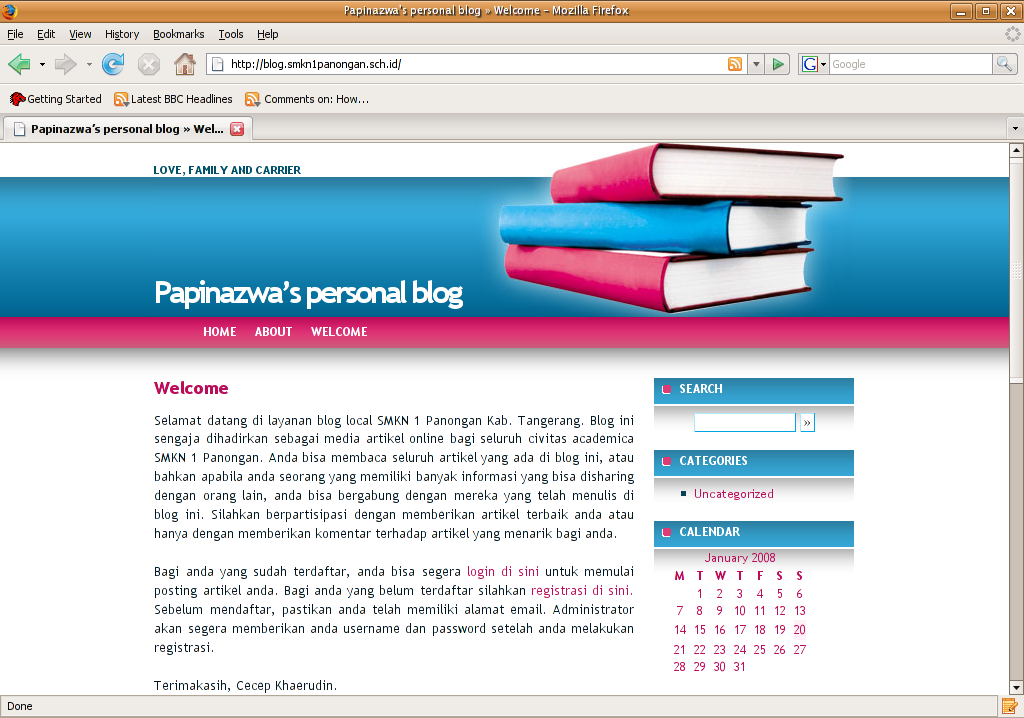
Apabila anda telah membaca artikel diatas dan mengimplementasikannya, mungkin kita bisa lebih memperindah nama dari blog kita itu. Blog kita tidak lagi dipanggil http://localhost/wordpress, tapi mungkin dengan sebuah nama yang lebih bermakna seperti http://blog.smkn1pano ngan.sch.id seperti berikut :
blog-homepage.png
Semoga bermanfaat.

Source: http://papinazwa.wordpress.com/
Label: Server Blog, Wordpress

LifesDream - earn money each month


Verifield - Innovative Wealth Management

Verifield - your proven partners on stock markets Hasilkan uang dari Internet? Why Not? AVAZZY.com - Real business and real incomes

Alert Pay.. Get paid for subscribe...

DbClix Join 4Shared Now!

Liberty Reserve - Online Investment


Head Tail Game Liberty Reserve LR

Flip N Win

DepositFiles

Google

Blog Archive

Get Paid to sign Up.

Internet Pay to Click

YOU can make $THOUSANDS of dollars per month...Starting from $0.00!

LinkGrand.com


Baca iklan .. dibayar loh...!

www.easyhits4u.com

EasyHits4U.com - Your Free Traffic Exchange - 1:1 Exchange Ratio, 5-Tier Referral Program. FREE Advertising! DonkeyMails.com: No Minimum Payout

Yahoo! Movies News & Gossip

Alexa

Alexa review on mInvestment